What Information Do You Actually Need to Build a Cash Flow Forecast?
A practical checklist of cash flow forecast inputs — bank balances, AR and AP aging, open orders, payroll, debt, taxes, capex — and where each comes from.
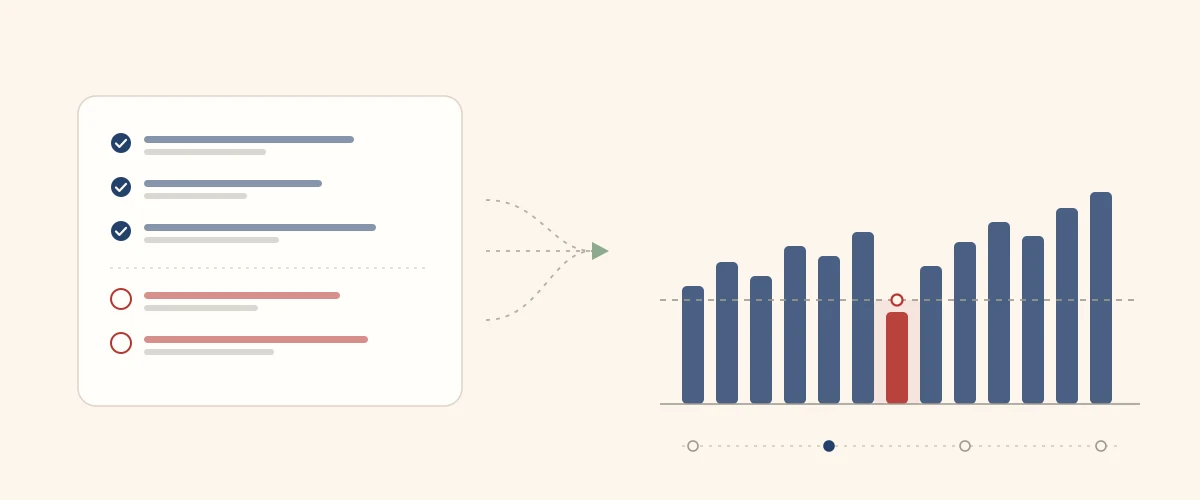
Key takeaways
- Forecast data comes from two places: your accounting system (what already happened and what is already committed) and management (what has not hit the system yet).
- QuickBooks gets you about 60% of a cash flow forecast. The missing 40% is what causes the surprises.
- Five inputs do most of the work: reconciled bank balances, AR aging, AP aging, the payroll calendar, and the debt schedule.
- The three-payroll month is the single most commonly missed input — and it is knowable a year in advance.
- Don’t wait for perfect data. Start with what you have and let the forecast improve by being run every week.
Everyone agrees they need a cash flow forecast. The question I get thirty seconds later is always the same: what do you actually need from me?
It’s a fair question, and the answer matters more than most people expect. In my experience, forecasts don’t fail because the model is wrong. The arithmetic is simple — opening cash, plus what comes in, minus what goes out. They fail because the inputs were incomplete, and nobody noticed until the week the forecast said one thing and the bank said another.
So this is the checklist I actually use. What to pull, where it lives, who has to supply it, and — the part people skip — what your accounting system can never tell you.
One thing first: this assumes you already know why you want a forecast. If profit and cash still feel like they should be the same number, start with our guide to cash flow management — it covers where cash actually goes and why a profitable month can still end short. Come back here when you’re ready to gather the inputs.
Where cash flow forecast data actually comes from
Every input falls into one of two buckets. Your accounting system knows what has already happened and what is already committed. Management knows what is coming but has not yet become a transaction. You need both, and most failed forecasts are built from only the first.
Your accounting system supplies
- Bank balances (reconciled)
- AR aging — who owes you, and since when
- AP aging — what you owe, and when
- Open purchase orders
- Recurring invoices and subscriptions
Only management supplies
- Open orders not yet invoiced
- Pipeline worth counting
- Planned hires and pay rises
- Equipment and capex decisions
- How each big customer really pays
Here’s the trap. QuickBooks is complete, tidy and authoritative-looking, so it feels like the whole answer. It isn’t. It’s a record of the past plus a list of commitments already made. It has no idea you’re hiring two people in March, that the delivery van needs replacing, or that your second-largest customer has quietly stretched to 60 days.
I’d put it at roughly 60/40. Sixty per cent of a usable forecast comes out of the accounting system in an afternoon. The other forty lives in the owner’s head, and getting it out is a conversation, not a report. That conversation is the job.
What your accounting system gives you
Five reports, and you have the backbone of the forecast. If you run QuickBooks, every one of them is a couple of clicks away — the trick is knowing what each is for, and reconciling before you trust any of it.
| Input | Where to find it | What it drives |
|---|---|---|
| Bank balances | Banking → reconciled account balances | Opening cash — week 1 starts here |
| AR aging | Reports → A/R Aging Detail | Expected receipts, week by week |
| AP aging | Reports → A/P Aging Detail | Committed payments already invoiced |
| Open purchase orders | Reports → Open Purchase Order List | Payments coming that aren’t invoiced yet |
| Recurring transactions | Settings → Recurring Transactions | Predictable monthly receipts and costs |
Reconcile first. I mean this literally — before you export anything. (Twelve signs your books need a cleanup covers what to look for if you are not sure where yours stand.) If the bank feed hasn’t been reconciled, your opening cash is wrong, and every one of the next thirteen weeks inherits that error. A forecast built on unreconciled books doesn’t give you a rough answer; it gives you a precise wrong one, which is far more dangerous because you’ll act on it.
Use the AR aging detail, not the summary. The summary tells you $180,000 is due inside 30 days. The detail tells you which customers, which invoices, and which dates — and that’s what you need to place cash in the right week. If you’d like that done for you, our free 13-week AR collection forecast template takes the aging detail and places each invoice in the week it’s expected.
Duplicated bills, invoices raised against orders that were later cancelled, and credit notes never applied. All three quietly distort AP and AR aging, and all three show up in the first reconciliation. If you find a lot of them, fix the books before you build the forecast.
What only management can tell you
This is the 40% — and it is where forecasts are won or lost. None of it exists as a report. All of it exists in somebody’s head, and you get it by asking specific questions rather than “anything else coming up?”
Let me show you why it matters with the smallest possible example. A distributor’s AR aging says $180,000 is collectible inside 30 days. Clean report, no flags. But the owner knows something the report doesn’t:
| Customer | Per the aging report | What management knows | Realistic |
|---|---|---|---|
| Customer A | $70,000 | Pays on time, always | $70,000 |
| Customer B | $60,000 | Never pays before day 60 | $0 |
| Customer C | $50,000 | Disputing one line, part-paying | $35,000 |
| Total | $180,000 | $105,000 |
The aging report says $180,000. Reality is $105,000. That $75,000 gap inside 30 days is the entire difference between a forecast that holds and one that fails in week three — and no accounting system on earth would have told you.
That’s what I mean by customer-specific collection intelligence. It is the single highest-value input in the whole exercise, and it takes about twenty minutes to collect. If you want to turn it into dated receipts — including how to work out how late each customer really pays — I’ve written that up in how to forecast cash receipts accurately.
- Open orders: what have we won and delivered that hasn’t been invoiced yet — and when will it be?
- Pipeline: what’s likely enough to count? (Only near-certain deals belong in a 13-week view.)
- Collection reality: for the top ten customers, when do they actually pay — not what do the terms say? Due dates or payment behavior? covers which customers need this, and the flags that say it’s time.
- Planned hires: who starts when, at what cost, and is there a recruiter fee?
- Equipment and capex: anything being bought or replaced in the next quarter?
- Supplier changes: any price rises, deposits, or terms being renegotiated?
Got the inputs but no structure to put them in? Our free 13-week cash flow template is already laid out for exactly these lines — or read how to build the model step by step.
The calendar items: payroll, debt and taxes
These three are the easiest inputs to get exactly right and the most commonly got wrong — because people forecast them as monthly averages when they are actually knowable to the day.
Start with payroll, because it’s usually the largest single payment a business makes — and if you pay every two weeks, the calendar hides a trap in it.
Paying every two weeks means 26 pay runs a year. But a year only has 12 months, and 12 months × 2 runs = 24. So two runs have nowhere to sit. Twice a year, one month gets three paydays instead of two.
Say each pay run costs you $95,000. Then:
| Most months | The two months with a third payday | |
|---|---|---|
| Pay runs that month | 2 | 3 |
| Payroll cash out | $190,000 | $285,000 |
Nothing has changed — same people, same salaries, same pay rate. That month simply costs $95,000 more than the ten months either side of it.
And you can work out which two months, right now, from a calendar. That’s the part I find striking: it is one of the most predictable cash events in the business, and it is still the input I see missed most often. A monthly forecast buries it in an average. A weekly cash flow forecast shows you the week it actually lands — which is precisely why we forecast weekly.
Then the other two calendar items, which are just as knowable:
- Debt service: every loan and lease — amount, day of month, and whether any facility matures inside the horizon.
- Payroll taxes: the deposit schedule that follows each run, not a monthly lump.
- Sales tax: filing frequency and due dates for each state you’re registered in.
- Estimated taxes: the quarterly dates, with the amount you actually intend to pay.
If I could fix one thing in most owner-built forecasts, it would be this: stop averaging the payroll. Put every run on its real date. It costs you ten minutes and it removes the most common cause of a forecast that was “roughly right” until the week it wasn’t.
The one-offs that break a forecast
Recurring costs behave. One-offs are what actually empty a bank account — large, irregular, and absent from any average you might build from last year’s monthly numbers.
These are the ones I ask about every single time:
| One-off | Typical pattern | Why it hurts |
|---|---|---|
| Insurance renewal | Annual, one payment | A $40,000 hit in a single week |
| Annual software | Renews on signup anniversary | Easy to forget until it bills |
| Capex | Lumpy, discretionary | Often decided after the forecast is built |
| Bonuses | Once or twice a year | Large, and dated by policy |
| Owner distributions | Irregular | Frequently left out entirely |
| Deposits to new suppliers | Upfront, before delivery | Cash out with no invoice behind it |
The point of listing them isn’t that any single one is dramatic. It’s that three of them landing in the same fortnight, in a month that also happens to carry three payrolls, is how a business that is genuinely profitable ends up unable to make a payment run.
The full cash flow forecast checklist
Here is everything, in one place, with who supplies it. If you hand this list to your bookkeeper and your ops lead, you will have a complete set of cash flow forecast inputs in a day.
| # | Input | Source | Priority |
|---|---|---|---|
| 1 | Reconciled bank balances | Accounting system | Essential |
| 2 | AR aging (detail) | Accounting system | Essential |
| 3 | AP aging (detail) | Accounting system | Essential |
| 4 | Payroll calendar and amounts | Payroll system | Essential |
| 5 | Debt and lease schedule | Loan documents | Essential |
| 6 | Open purchase orders | Accounting system | High |
| 7 | Recurring revenue and subscriptions | Accounting system | High |
| 8 | Open orders not yet invoiced | Management / ops | High |
| 9 | Customer-specific payment behaviour | Management / sales | High |
| 10 | Tax calendar (payroll, sales, estimated) | Accountant | High |
| 11 | Planned hires | Management | Medium |
| 12 | Capex and equipment plans | Management | Medium |
| 13 | Known one-offs (insurance, bonuses, distributions) | Management | Medium |
| 14 | Pipeline worth counting | Sales | Lower |
Items 1 to 5 are the backbone. If you have only those, you already have a forecast worth running.
Once you have all of it, the next question is what to do with it — which date each line goes on, and how the weekly grid comes together. That is the build itself.
What to do when the data isn’t there
Don’t wait for a complete set. The most common reason a business still has no forecast eighteen months after deciding it needs one is that somebody is waiting for the data to be perfect first.
Build it with the five essentials this week. Where a number is genuinely unknown, put in your best estimate and mark the cell so you know it’s an estimate rather than a fact. Then run the forecast every week and compare it to what actually happened.
That comparison is the engine. In week one you’ll find the payroll date was wrong. In week two you’ll find a customer nobody expected to pay late. By week six the forecast is a good deal more accurate than anything you could have built by gathering data for six weeks first — because it has been corrected by reality six times.
- Week 1 — build with bank, AR, AP, payroll and debt. Estimate the rest.
- Weekly — update actuals, compare against what you forecast, and fix what was wrong.
- By week 4 — the estimates have been replaced by observed behaviour.
- Ongoing — the forecast rolls forward one week, every week. It never gets rebuilt.
That is genuinely all there is to how to forecast cash flow: gather the two halves, put every payment on its real date, and let the weekly comparison sharpen it. If you’re gathering this now and you’re not sure whether something belongs in the forecast, email me at anant@ease.pro — I’m always happy to look at a list. I hope you have a great day.
Want the gathering done for you?
Pulling the data is the easy half; keeping the forecast honest every week is the part that changes decisions. If you’d like someone to build the model against your actual numbers and run the weekly cadence with your team — then hand it over — that’s our cash flow work.
Frequently asked questions
What data do I need to build a cash flow forecast?
Five things get you most of the way: reconciled bank balances, an AR aging report, an AP aging report, your payroll calendar, and your debt repayment schedule. Then add what the accounting system cannot know — open orders not yet invoiced, planned hires, equipment purchases, and how each large customer actually pays.
Can I build a cash flow forecast from QuickBooks alone?
No, and this is the most common mistake. QuickBooks tells you what has already happened and what is already committed — roughly 60% of a forecast. The rest lives in the heads of the people running the business: orders not yet invoiced, hires planned for next quarter, the customer who always pays 30 days late. Without that, the forecast looks precise and still misses.
How far ahead should a cash flow forecast go?
Thirteen weeks is the standard — one quarter, far enough to see a squeeze coming and short enough to forecast accurately. Beyond about 13 weeks the assumptions get soft; inside four to five weeks you should be able to forecast almost to the day.
Why forecast weekly instead of monthly?
Because a monthly forecast hides the timing that actually causes the problem. A month can end with cash in the bank and still have had a week where payroll and a big supplier payment landed together. Weekly shows you that week; monthly averages it away.
What is the most commonly missed cash flow forecast input?
The month with a third payday. Paying every two weeks means 26 pay runs a year, but 12 months only hold 24 — so twice a year a month gets three paydays instead of two. If each run costs $95,000, that month costs $95,000 more than the ones around it. It is entirely predictable from a calendar, and still the input most often left out.
How long does it take to gather the data the first time?
If the books are reconciled, a few hours for the accounting-system half and one working session with management for the rest. If the books are behind, fix that first — a forecast built on unreconciled data is confidently wrong, which is worse than having no forecast at all.